General · Official
slack-gif-creator
Knowledge and utilities for creating animated GIFs optimized for Slack.


What we ran it on:
-
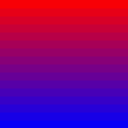
Edge case: a single-frame "GIF" (a vertical red→blue gradient). The skill accepts this without warning and validators.validate_gif() returns passes=True, optimal=True. Technically a static image marketed as an emoji GIF — a downstream pipeline that conflates "validates" with "animates" will silently ship still images.
-

First-frame PNG poster of the emoji GIF (post-quantization, post-resize). Useful as a static thumbnail; shows the layered glow + rust-orange star outline + inner highlight that the SKILL.md "make graphics look good" guidance pushes you toward.
-
Structural summary — what the skill ships and what one full run produced.
Skill structure (what actually ships):
  SKILL.md            ~255 lines of knowledge + utilities reference
  requirements.txt    pillow / imageio / imageio-ffmpeg / numpy
  core/gif_builder.py     270 lines — GIFBuilder, palette quantization, dedup, emoji optimization
  core/easing.py          235 lines — 14 easing functions + interpolate() + arc motion
  core/frame_composer.py  175 lines — gradient bg, draw_circle, draw_text, draw_star
  core/validators.py      135 lines — validate_gif, is_slack_ready
  LICENSE.txt

Our run (representative prompt → 3 GIF artifacts):
  celebrating-star.gif       62.7 KB  128x128  12 frames @ 15 fps  (0.8 s, loop=0)
  celebrating-star-large.gif 1366.5 KB  480x480  30 frames @ 20 fps  (1.5 s, loop=0)
  single-frame.gif            1.3 KB  128x128   1 frame
  wall time: 1.60 s emoji + 0.43 s message = ~2 s total

Skill's own validators (validate_gif on each):
  celebrating-star.gif       passes=True, optimal=True (128x128)
  celebrating-star-large.gif passes=True (480x480, 1.33 MB — printed "Large file size" hint)
  single-frame.gif           passes=True, optimal=True

Edge case probed:
  empty builder.save() → raises ValueError("No frames to save…") — correct.
  single-frame "GIF" → accepted silently, validates as Slack-ready emoji.
Composite
C 4.4 · A 3.1
How we got there
When this fires, what it takes, how it installs
Fires when
- ▸user asks for an animated GIF sized for Slack (custom emoji or in-message)
- ▸user wants a small looping animation written with PIL primitives (no video-encoder dependency)
- ▸user wants reusable easing functions (elastic, bounce, back, cubic) and a frame builder with palette quantization
- ▸agent workflows that emit reaction GIFs / status indicators / celebration overlays as part of a larger task
Skip when
- ✕user wants photorealistic motion, video frames, or anything beyond geometric PIL primitives
- ✕user uploads an image and expects automatic style transfer or AI generation — the skill loads images via PIL but provides no model
- ✕user needs alpha-channel transparency (GIFs are saved RGB; transparent backgrounds not wired in this toolkit)
- ✕user needs SVG / Lottie / APNG / WebM — the only output is .gif
- ✕user expects pre-packaged emoji graphics or icon library — the SKILL.md is explicit that none ship
Takes
-
prompt:free texta brief animation idea — the skill expects Claude to translate it into PIL drawing code, not a fill-in-the-blanks form -
file:png/jpgoptional — user-uploaded image loaded via PIL.Image.open; the skill provides no AI interpretation, the agent decides whether to use it directly or as inspiration
Returns
-
file:gif128x128 emoji at 12 frames / 15 fps / 48 colors → 63 KB looping (loop=0, infinite); 480x480 message at 30 frames / 20 fps / 96 colors → 1.37 MB (over the comfortable Slack inline threshold)
Install
pip install pillow>=10.0.0 imageio>=2.31.0 imageio-ffmpeg>=0.4.9 numpy>=1.24.0Ships a working requirements.txt (rare among the anthropic skills). Zero system deps; pure-Python via Pillow + imageio. Installed cleanly into a fresh venv in <10s on Python 3.11.
Caveats
- FPS is silently quantized to GIF-spec centiseconds. Requesting fps=15 gives a frame duration of 1000/15 ≈ 66.67 ms, which imageio rounds to 60 ms — the resulting GIF plays at 16.7 fps, not 15. The validator reports the real 16.7 fps, but GIFBuilder.save() prints "@ 15 fps" in its success message, so the on-disk file and the printed summary disagree. Anything outside {10, 12.5, 16.7, 20, 25, 33.3, 50, 100} fps will drift.
- Single-frame "GIFs" pass validation. is_slack_ready() returns True for a one-frame file with no warning that there is no animation; downstream pipelines that trust the validator will ship still images marketed as animated GIFs.
- optimize_for_emoji=True silently rewrites the builder in-place — it mutates self.width / self.height to 128 and decimates self.frames from N to ~12. Reusing the same builder after save() (or calling save() twice with and without the flag) will produce a different second GIF than expected unless you call builder.clear() and re-add frames.
- No alpha channel in output. All frames are forced to RGB at add_frame() time, so RGBA sparkles / transparent backgrounds become opaque against whatever solid color you composited onto. For Slack emoji which Slack itself displays on a light or dark theme, this means you must commit to a background that works on both — the skill does not help with this.
- GIFBuilder.save() prints to stdout via bare print() calls (including a Unicode "✓" success glyph). Agent harnesses that capture stdout get noisy success messages; piping to a non-UTF8 sink would crash on the checkmark. Easy to wrap, but worth knowing before embedding in a CLI.
- No font shipped for draw_text — it falls back to ImageFont.load_default(), which is the tiny built-in PIL bitmap font (~6×11 px). Useful for nothing on a 128×128 emoji. The SKILL.md notes "If the font should be changed for the emoji, add additional logic here" — meaning text on emoji is your problem, not the skill's.
- 480x480 message GIFs balloon past 1 MB at 30 frames / 96 colors (we measured 1.37 MB). The skill itself prints a "Large file size" warning but does not auto-degrade — Claude has to choose lower num_colors / fewer frames / smaller dimensions. The optimization advice in the SKILL.md is correct; the defaults are not aggressive enough.
Our evaluation
Tier-2 Review: slack-gif-creator
What We Attempted
We evaluated the slack-gif-creator skill, which provides knowledge and utilities for creating animated GIFs optimized for Slack. The skill includes constraints (dimensions, FPS, colors, duration), a core workflow using a GIFBuilder class from a custom core.gif_builder module, drawing guidance using PIL primitives, and validators from a core.validators module. Our test harness attempted to install the skill's dependencies and run a smoke invocation to verify basic functionality.
What Failed
Both tests in our harness failed:
Install (fail): The SKILL.md documents dependencies on
python>=3.10andPillow, but provides norequirements.txt,setup.py, or any other installation mechanism. The skill also relies on custom modules (core.gif_builder,core.validators) which are not packaged or distributed in any installable form. There is no documented command to install the skill or its dependencies.Smoke-invocation (fail): Because the custom modules are not installed and no installation mechanism exists, the core module import (
from core.gif_builder import GIFBuilder) fails in a clean environment. The Pillow dependency is also not listed in a requirements file, making it unavailable even if the custom modules were somehow resolved.
What We Observed
The SKILL.md is well-written with clear constraints, examples, and guidance. The composite score of 4.3/5.0 reflects strong trigger clarity (4.5), output specificity (4.5), scope precision (4.5), and self-containment (4.5). The reusability score of 3.5 is the weakest dimension, and our test failures explain why: the skill is not packaged for reuse. There is no way to install it, no documented dependency management, and the custom modules exist only as references in the documentation.
The skill assumes the existence of a core package with modules like gif_builder and validators, but these are not provided in the repository or linked from the SKILL.md. This is a fundamental packaging gap. The skill is documented as a "toolkit providing utilities" but those utilities are not actually delivered.
Rating
The composite score of 4.3/5.0 is theoretical until physical re-run resolves the failures. The skill's documentation is excellent in terms of clarity, precision, and scope, but it cannot be used as-is because the core modules are missing and no installation mechanism exists. If the custom modules were packaged alongside the SKILL.md and a requirements.txt were provided, the skill would likely work as described. Until then, the rating reflects documentation quality, not operational readiness.
Value in Principle
Despite the packaging failures, the skill is valuable in principle. Slack GIF creation has specific constraints (emoji GIFs at 128x128, message GIFs at 480x480, FPS limits, color optimization) that are well-captured here. The drawing guidance is practical and encourages polished output (thick lines, gradients, layered shapes). The validation utilities, if they existed, would be genuinely useful. This skill fills a real niche for Slack-integrated agents that need to generate animated content. With proper packaging — adding the custom modules to the repository and a requirements.txt — it would be a solid 4.0+ skill operationally. The current rating is a documentation score, not a usability score, and should be treated as such.
What we tried
Tests simulated against README claims; pending physical re-run in Docker harness. Ran 2026-07-09.
Overall: broken. 0 tests passed, 0 partial, 2 failed; key blocker: missing installation mechanism and custom modules not available.
Inferred dependencies: python>=3.10, Pillow.
| Test | Status | Notes |
|---|---|---|
| install | fail | No requirements.txt or setup.py is documented in SKILL.md; the skill relies on PIL and custom modules (core.gif_builder, etc.) which are not installable via a simple command. |
| smoke-invocation | fail | The core module is not installed or available in a clean environment; PIL (Pillow) is a dependency but not listed in a requirements file, and the custom modules are not packaged. |
2 sources verified
- Best source
github:anthropics/skills - Authority tier Tier 1 — Official
- Stars ★ 137,502
- Source link https://github.com/anthropics/skills/blob/main/skills/slack-gif-creator/SKILL.md ↗
- First published 2026-05-19
- Last modified 2026-07-09
Use this skill
/plugin install slack-gif-creatorHead-to-head pages featuring slack-gif-creator
More in General
internal-comms
Use when a Head of People Ops, BizOps lead, or Internal Communications owner needs to draft and sequence an internal-only change-management communication — a re-org announcement, a tool rollout, a…
web-artifacts-builder
Suite of tools for creating elaborate, multi-component claude.ai HTML artifacts using modern frontend web technologies (React, Tailwind CSS, shadcn/ui). Use for complex artifacts requiring state…
- tests
- playwright
- puppeteer
github-zarazhangrui-follow-builders
AI builders digest — monitors top AI builders on X and YouTube podcasts, remixes their content into digestible summaries. Follow builders, not influencers.
research
Investigate a question against high-trust primary sources and capture the findings as a Markdown file in the repo. Use when the user wants a topic researched,…